OMG Booking · by OMG Marketing
How people sign up for OMG Booking text alerts
Last updated November 14, 2026
OMG Booking texts a mobile IV therapy business's own staff when a new visit request comes in. Nobody else gets these texts, and they are never marketing.
Our Privacy Policy and Terms & Conditions are linked right under the consent checkbox on the sign-up form, shown below.
The sign-up form
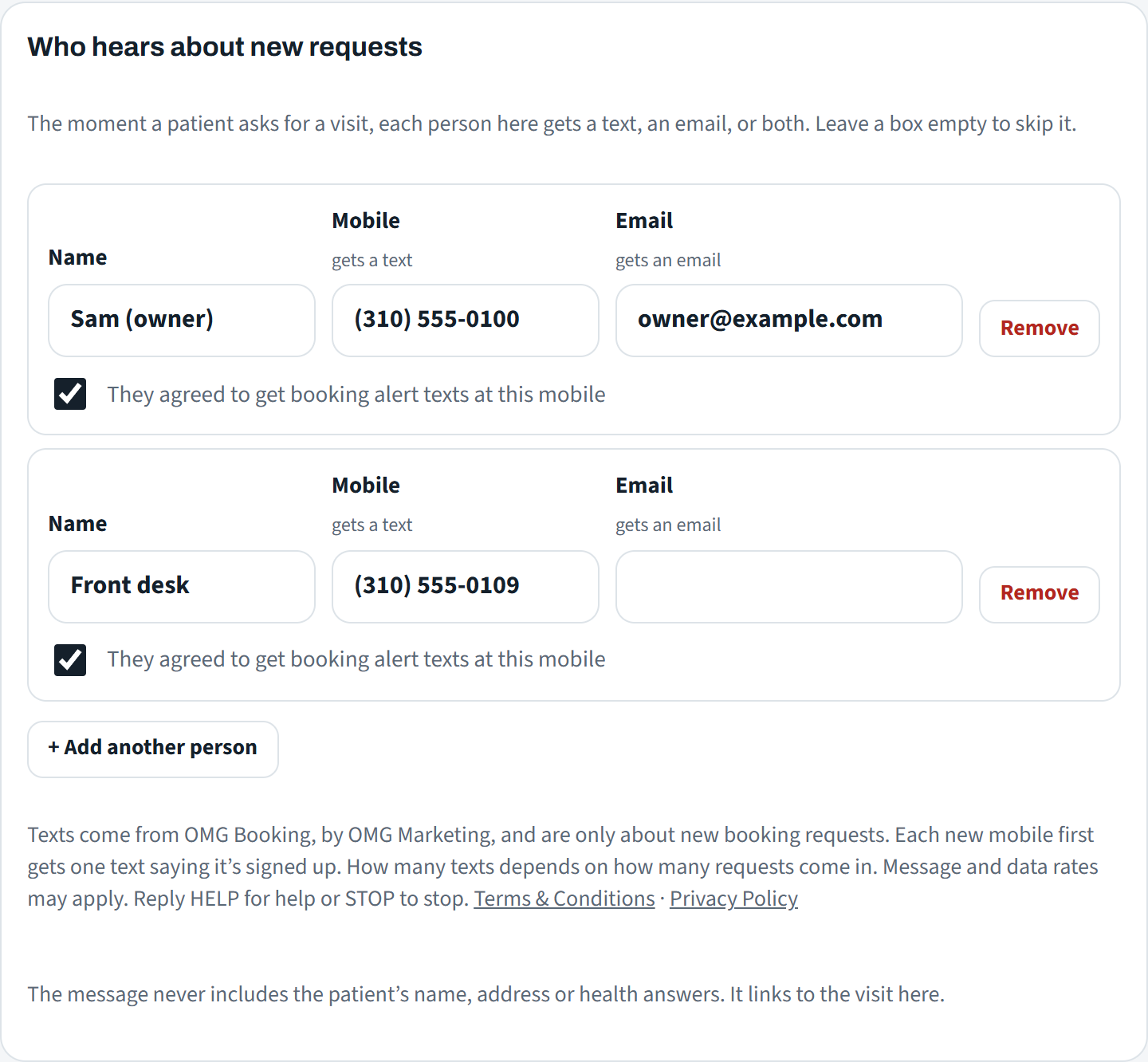
This is the form, exactly as it appears in the business's OMG Booking calendar under Settings, Who hears about new requests:
Step by step
- In the business's OMG Booking calendar (booking.omgsitelaunch.com, behind a staff sign-in), an owner or manager opens Settings, then Who hears about new requests.
- They add the person's name and mobile number, and tick "They agreed to get booking alert texts at this mobile". A mobile number cannot be saved without that box ticked.
- Under the list, the form shows the text-alert terms above, with visible links to our Terms & Conditions and Privacy Policy.
- When they save, the new number gets one confirmation text (below), then an alert for each new request.
A working copy of the same calendar with made-up names is public at booking.omgsitelaunch.com/demo (click Settings). A screenshot of the form in the calendar:
The texts
OMG Booking: You're signed up for new booking request alerts for Demo Mobile IV. Msg frequency varies with bookings. Msg & data rates may apply. Reply HELP for help, STOP to stop.
OMG Booking: Demo Mobile IV has a new visit request for Mon, Nov 16, 10:00 AM, 2 people, in 90049. It isn't confirmed yet. See it: https://booking.omgsitelaunch.com/?v=3f9c2a7e51b04d8a6c1e0b72 Reply STOP to stop these alerts.
Replying STOP stops the texts. Replying HELP gets help, or email info@omgmarketingco.com.